Big update: EliteMarket, Persistent Storage, CS 1.6, MOTD studio, Elite Circle and 50+ new features
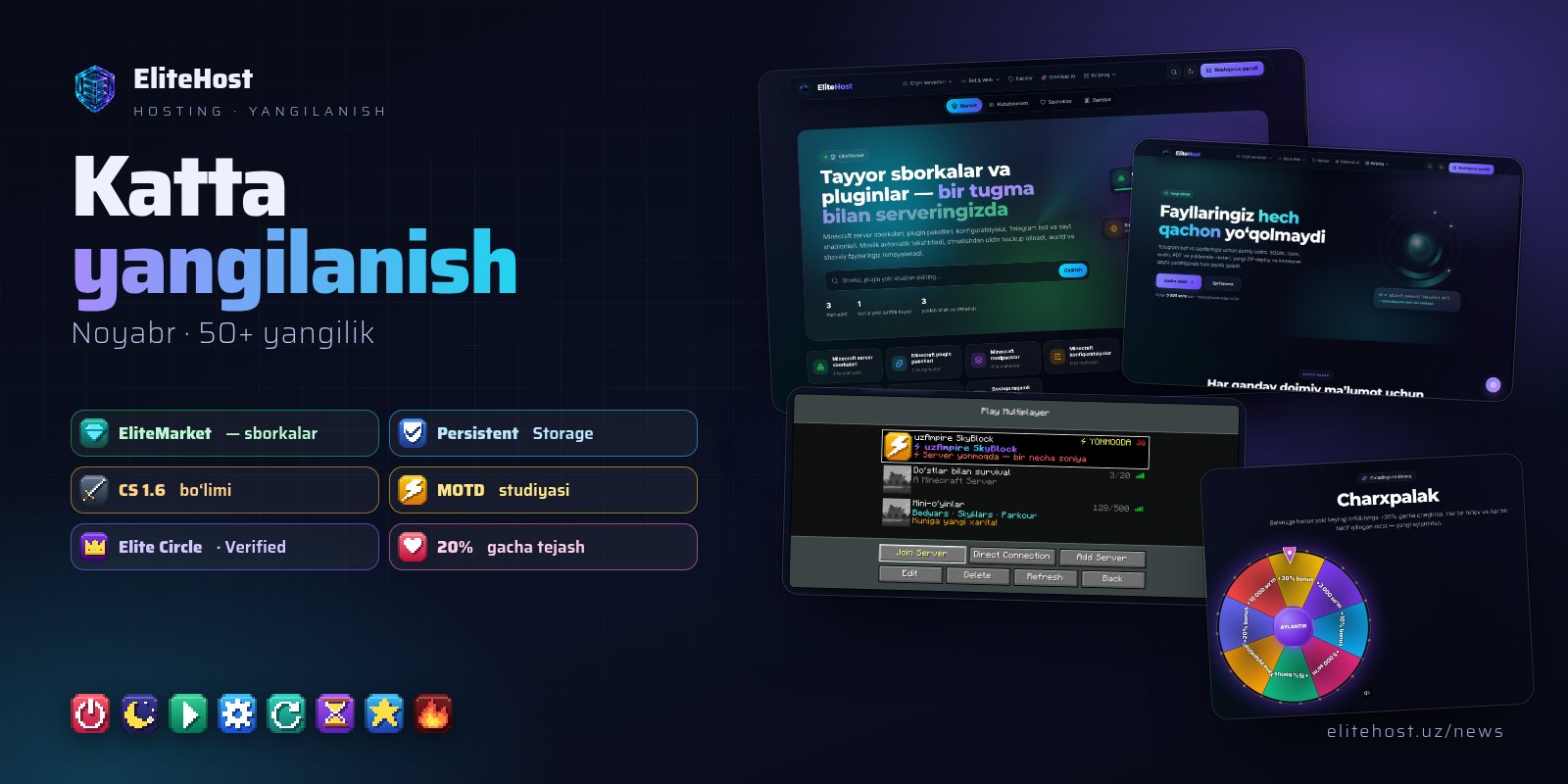
🎉 Everything added since November 14 — on one page. The EliteMarket store of ready-made builds, persistent storage for bots and sites, a new CS 1.6 section, a Minecraft MOTD studio, the Elite Circle community of verified members, a more powerful EliteHost AI and savings of up to 20%.
E
EliteHost
🎉 Everything added since November 14 — on one page. The EliteMarket store of ready-made builds, persistent storage for bots and sites, a new CS 1.6 section, a Minecraft MOTD studio, the Elite Circle community of verified members, a more powerful EliteHost AI and savings of up to 20%.
🛒 EliteMarket — ready-made builds in one click
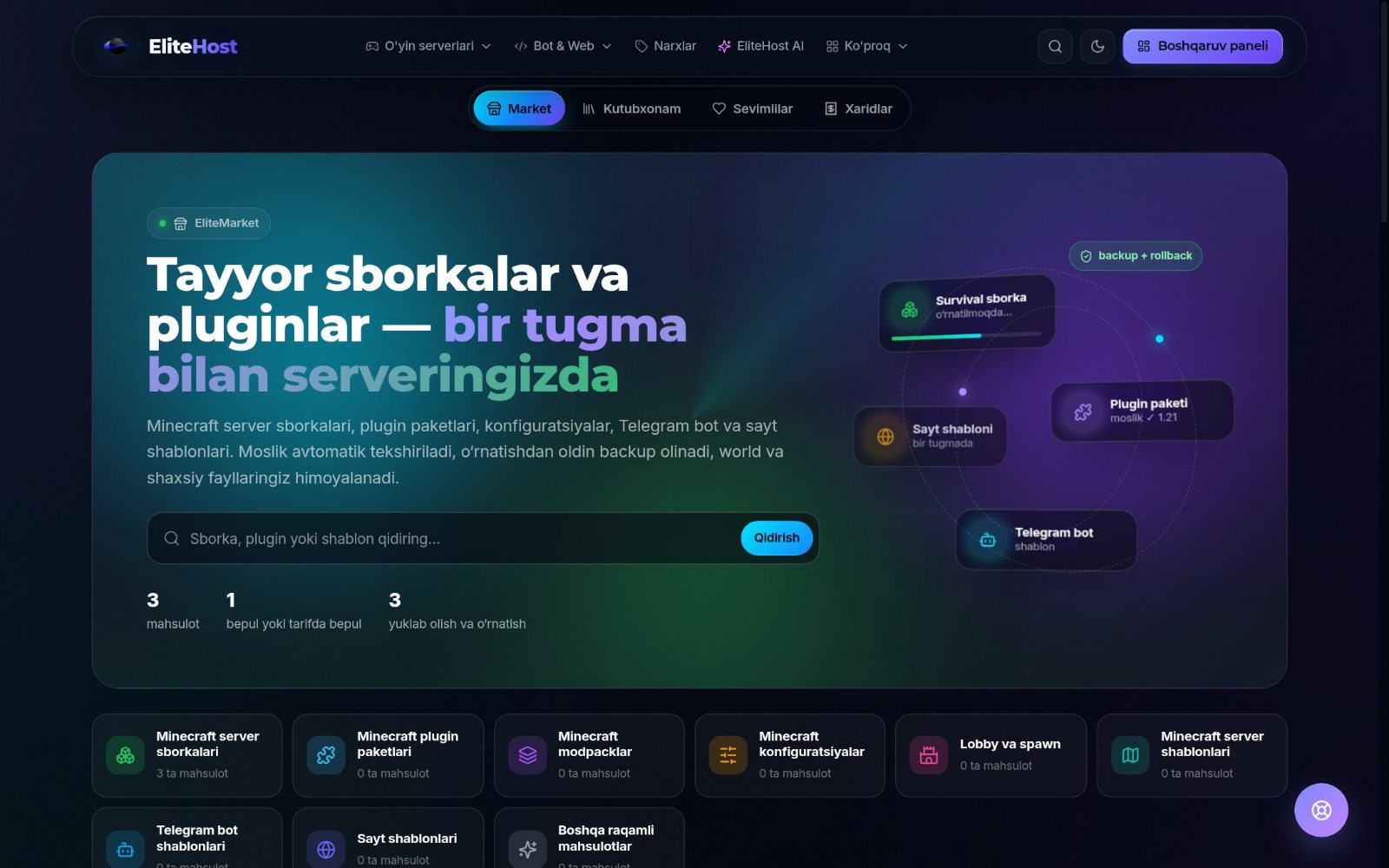
The new EliteMarket — Minecraft builds, plugin packs, configurations, Telegram bot and website templates. Buy or get them free with your plan and install to your server in one click.
Compatibility is checked automatically: Minecraft version, core, Java, RAM and disk — if something is missing you get a clear recommendation
Before installing, every file to be replaced is backed up; the world, player data and personal settings are protected
A cinematic install window: every step, percentage and a live log; on error the server returns to its previous state by itself
You get notified about new versions; updates replace only changed files and merge your settings
My market: purchased, installed and updatable products shown separately; favorites and price-drop alerts
Smooth animated transitions between EliteMarket sections (My library, Favorites, Purchases) and a new design
A new “Builds” section in the server panel — the same features right inside your server
EliteMarket: ready-made builds, plugin packs and templates
💾 Persistent Storage — your files are never lost
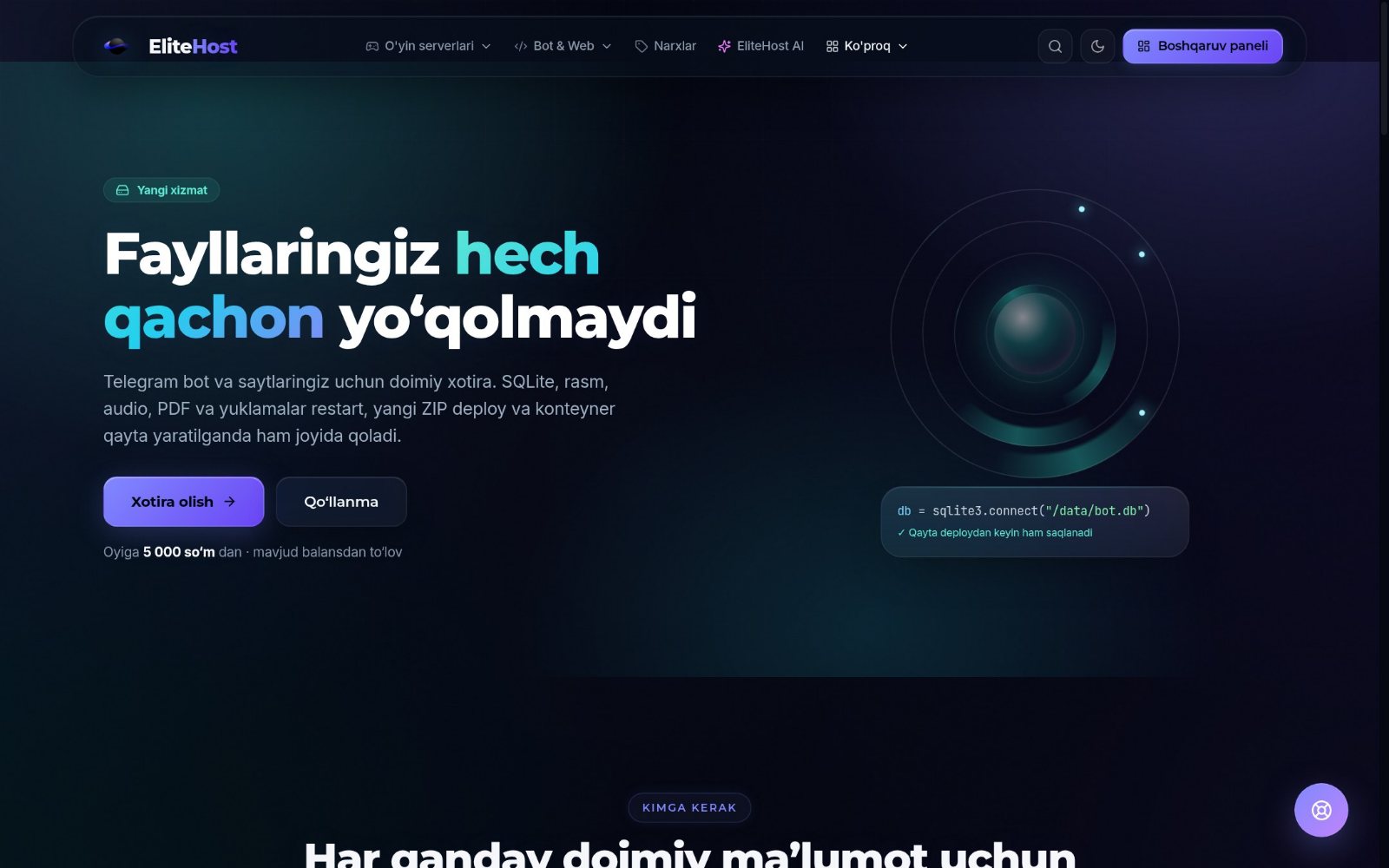
A new service — persistent storage. It mounts to your server as the /data folder: SQLite databases, images, audio, PDFs and uploads survive restarts, new ZIP deploys and container re-creation.
Plans from 1 GB to 100 GB, extra GB when needed; paid from your balance automatically every month
Choose your bot at checkout — the storage is created in seconds and mounted at /data
Each storage is a separate disk with a strict quota; upgrade the plan and the disk grows without stopping the server
A file manager in the panel: chunked uploads, folders, copy, move, search, image/PDF/text preview
Daily and weekly backups, consistent SQLite snapshots, one-click restore and download
Alerts at 70/85/95/100% usage, on backup errors and before expiry; data isn’t deleted right away if a payment is missed
Persistent Storage: persistent storage for bots and sites
🎯 CS 1.6 — a new section and Non-Steam eggs
Manage your Counter-Strike 1.6 server without config files: admin ranks, AMX Mod X plugins, map rotation and one-click game modes. Non-Steam players can join servers on the new eggs too.
A “CS 1.6” section in the panel: server name, password, round time, money, gravity and other server.cfg settings in a simple form
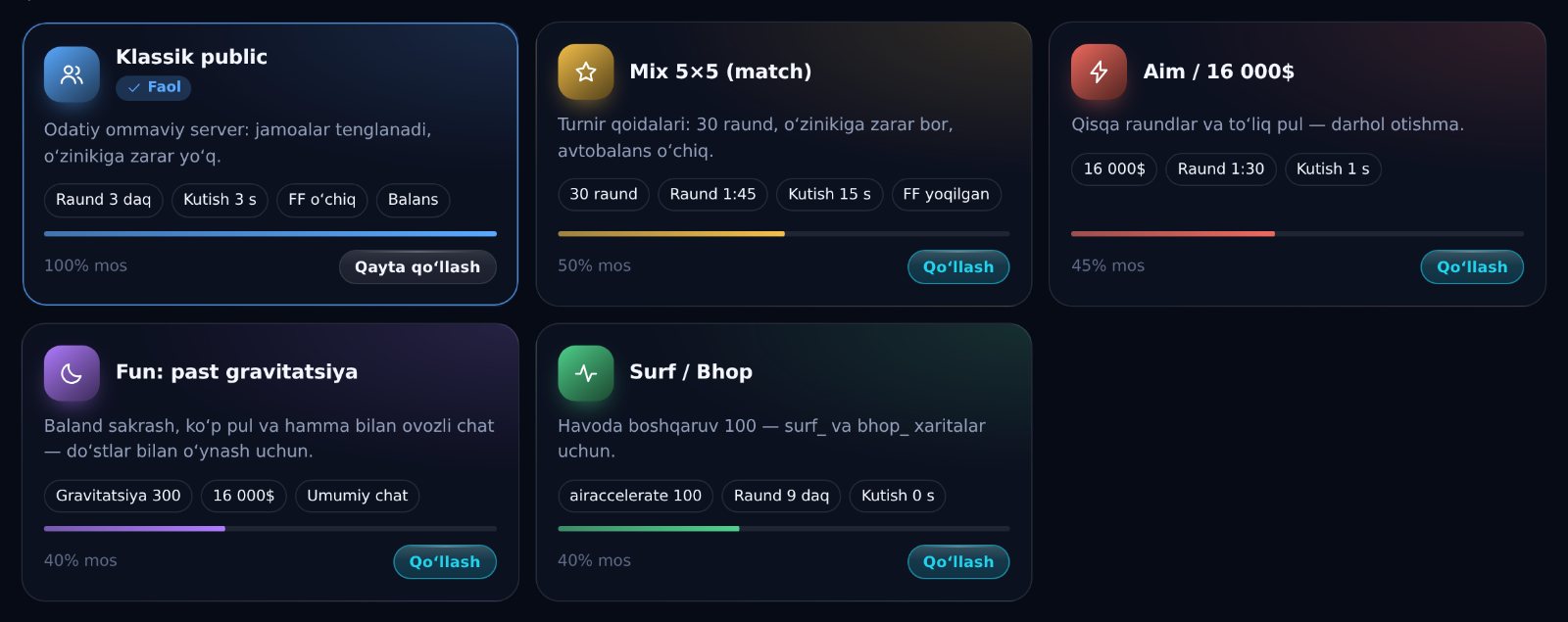
5 ready-made modes in one click: Classic public, Mix 5v5, Aim 16 000$, Fun (low gravity) and Surf/Bhop
Admins: nick, SteamID or IP — Owner, Admin, Moderator and VIP ranks; the server reloads them right after saving
Turn AMX Mod X plugins and map rotation on or off with one button, with descriptions for the standard plugins
New “Steam + Non-Steam” egg: ReHLDS, ReUnion and AMX Mod X ready on install — no more “STEAM validation rejected”
A “Pro” egg with ReGameDLL and ReAPI — for modern plugins and extended game settings
CS 1.6: ready-made game modes in one click
⛏ Minecraft: MOTD studio, GUI studio and plugins
You style how the server looks in the Minecraft list while it’s offline, starting or installing, and build GUI menus comfortably even on a phone.
Ready templates, colours, gradients and animations — with a live preview of how it looks in the Minecraft list
2,000 UZS once per server, or free on plans from 6,900 UZS
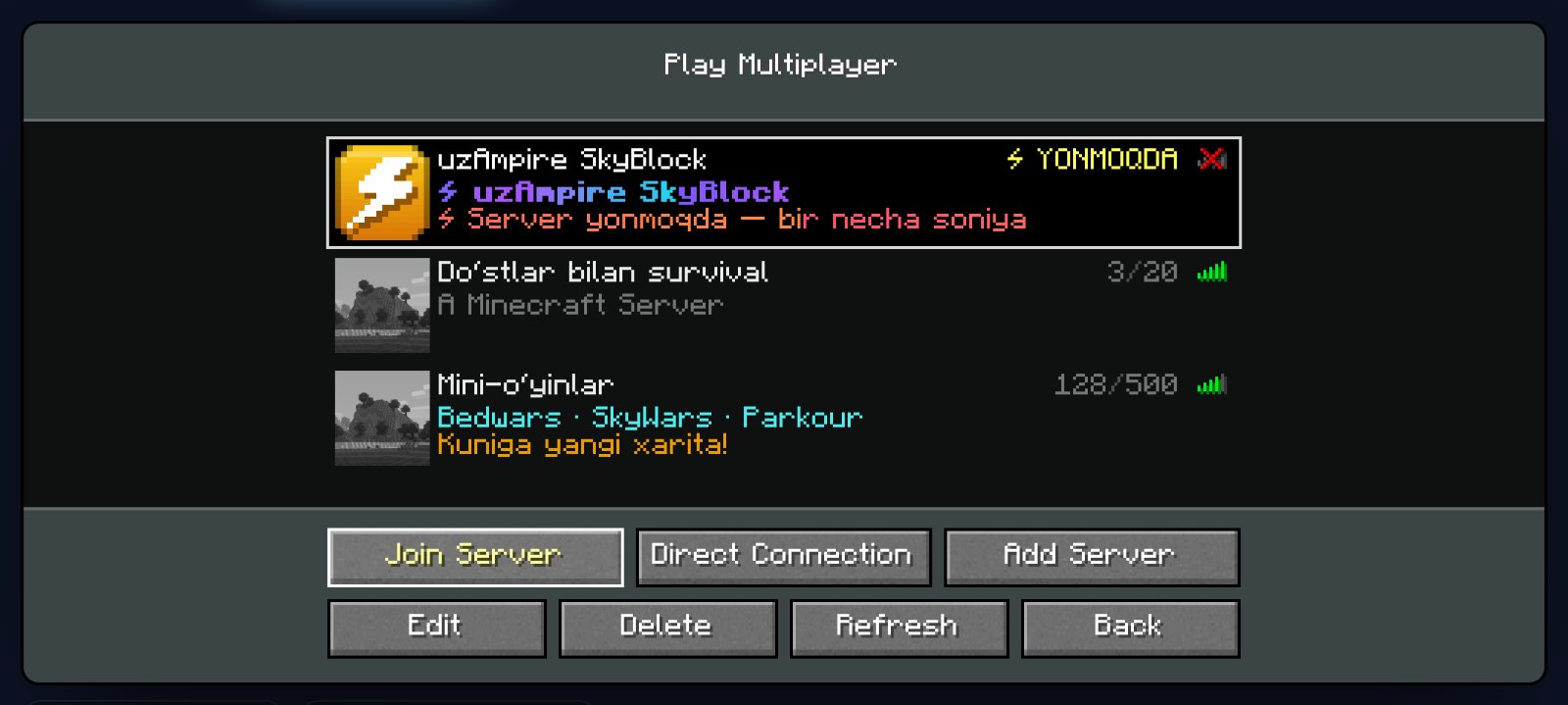
New MOTD studio state — “Server starting”: while it boots, players see ⚡ STARTING instead of “Can’t connect”
MOTD: a separate server icon and symbol for every state — offline, starting, installing; 14 ready pixel-art icons or upload your own
MOTD studio: the preview looks exactly like the Minecraft server list — game font, buttons and tooltip
The server console page got a button that turns the Offline MOTD on and off in one click
GUI studio: an AI icon shows on the slot item and an AI background behind the menu right away
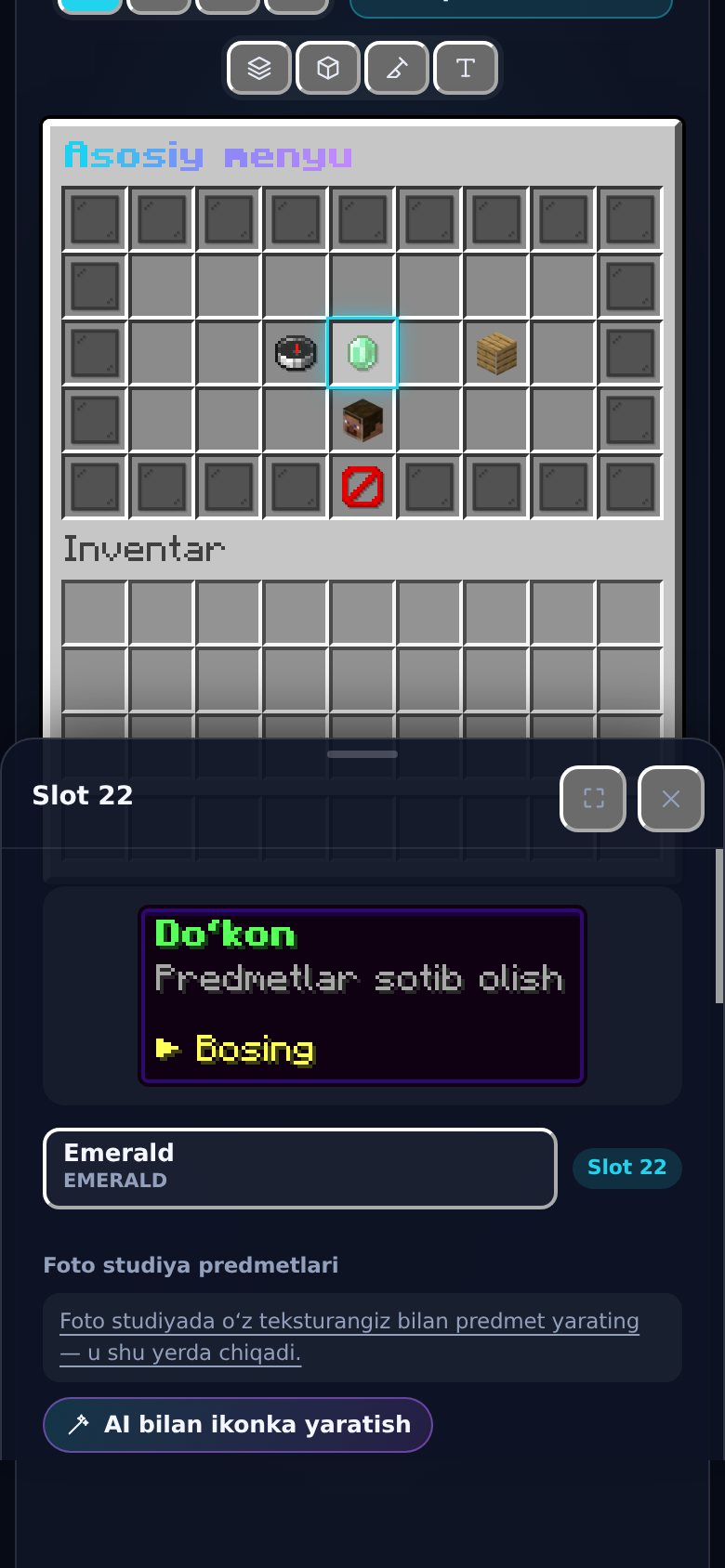
GUI studio on phones: bigger slots, tapping opens the editor from the bottom, hold to move an item — it no longer gets deleted by accident
Plugin installer: LuckPerms, Vault and other SpigotMC plugins install in one click again
MOTD studio: the “Server starting” state with its own server icon
🤖 EliteHost AI — images, any plugin and smart search
EliteHost AI now reads, configures and fixes plugins it didn't create, and AI images are placed on your website, Telegram bot or Minecraft server in one click.
Any plugin: reviews commands, permissions, dependencies and errors and fixes its configuration
“Place in project” in the AI gallery: hero, banner, favicon set, bot avatar, server-icon.png and textures — in the right size and format
In the server AI chat, asking for an image, poster, logo or banner no longer hangs — it switches to image mode right away and returns a ready PNG
Upload and edit your own logo or image, add it to a background and download the result as a PNG
Smart search: for a question like “What’s the latest Minecraft version?” the AI searches the web itself and shows sources
Playground: send files from your computer (log, yml, java, py…) or attach them from your server’s file manager
Ultracode: click a helper agent to see what it’s doing, its actions and the text it’s writing
When a file is edited you see which lines changed and can revert in one click
Bedrock Add-on workshop: 21 versions (1.20.80 — 1.26.60), each with its matching Script API
A smart notifications toggle for AI Chat and AI Playground — if you’re in another tab you get notified when the AI finishes or asks a question; it stays quiet while you’re watching the chat
💬 Live chat and support
The live chat in the bottom-right corner now works separately from tickets: operator replies arrive instantly, and if the operator is busy you get an automatic reply.
Live chat conversations no longer mix with the “Tickets” list — each has its own place
If the operator is busy you get an instant auto-reply, and the operator’s answer also reaches you as a notification and via Telegram
Animations when messages are sent and received, Telegram-style ✓ / ✓✓ read receipts
“Admin is typing” and “Customer is typing” indicators in live chat and tickets
Tap the link in a notification and the live chat window opens by itself
Fixed the support chat and site freezing when a message arrived or the input field was tapped
🛡 Verified, Elite Circle and reviews
You can now verify your account to get a blue, purple (Elite) or gold (Business) badge, open a personal public profile and show up in the server list as a trusted owner.
A “Verified Center” section is live in your account — you can apply even without a passport, using a secure code
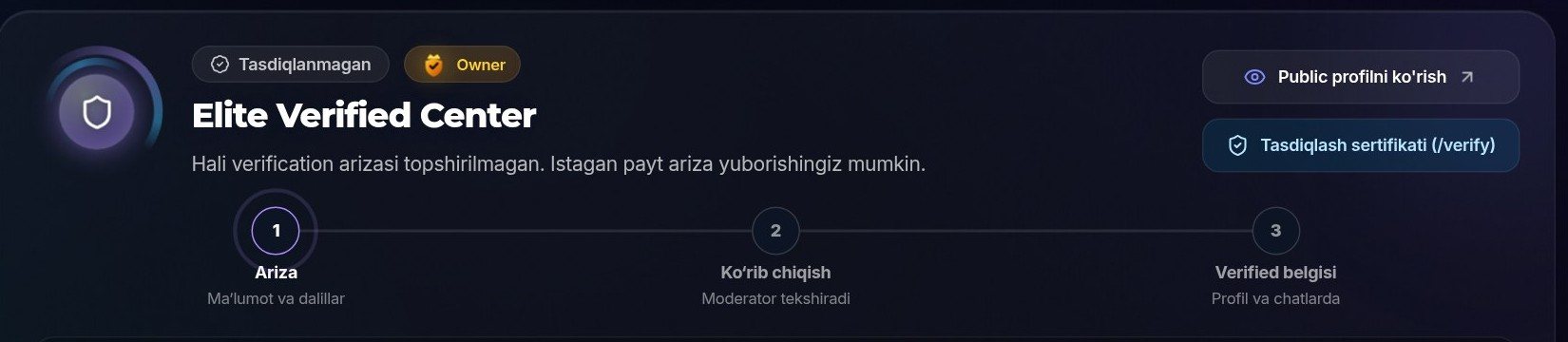
Verified Center comes alive: a status-coloured seal and “Application → Review → Badge” steps
Every user now has a public profile and an official verification certificate page
Media partners get a pink-red “Media Verified” badge, channel details and a partnership-duration passport
The Elite Circle community is open for Verified users: official announcements, discussion rooms, live chat channels, a beta testing hub, early access, suggestions and polls
You can leave comments and replies on news, highlighted with your badge
The reviews page and the home page carousel now show verified and team-role badges, with filters and search
Elite Verified Center: application, review and the Verified badge
🎁 Savings and bonuses: up to 20% off, the wheel of fortune, friends and Telegram
Prepay your server for 3 or 12 months and save up to 20%, win bonuses on the wheel of fortune and invite friends — now you both get a bonus.
Prepayment: −10% for 3 months, −20% for 12 months — server page → “Plan & Resources”; nothing is charged from your balance during that period
If the plan changes or the server is deleted, the unused part goes back to your balance
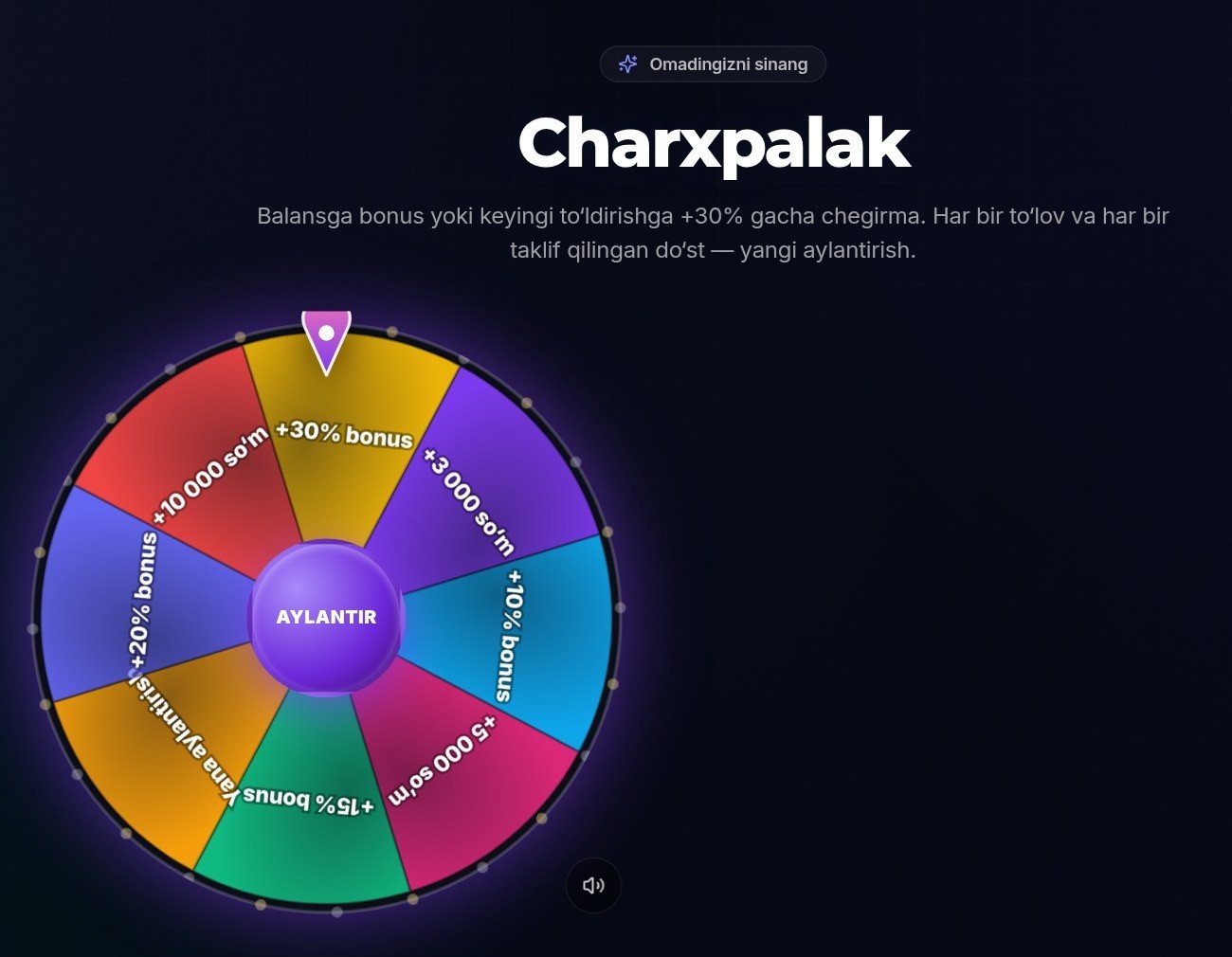
Wheel of fortune: a balance bonus or up to +30% on a top-up; the first spin after sign-up is free, and every payment earns another
Invite a friend: your friend gets +20% on their first payment, you get 10 000 so‘m and a spin; your share of each purchase stays as before
Telegram channel subscription bonus — 4,000 UZS; it is taken back if you leave the channel and returned if you come back
Managing things through the Telegram bot requires a subscription to @EliteHostUz (site login confirmation works without it)
“Server too small”: when RAM hits the limit you see why and get a one-click upgrade button
Wheel of fortune: balance bonuses and top-up discounts
⚡ Speed and convenience
The site and panel open faster, translations are complete and small annoyances are fixed.
Russian and English pages open much faster — the large translation file no longer blocks the page
The home page barely uses the CPU while idle, and the 3D tower no longer gets in the way of clicks
Headings and text appear on the first paint — animations no longer delay the page
The site’s new sections (Elite Circle, Verified, the wheel of fortune and more) are fully translated into Russian and English
In your server’s “Plan & Resources → Extra resources”, adding a premium port opens a list of free and taken ports with search
The subdomain limit of your plan (e.g. 4 for Elite Advanced) now applies automatically in the panel’s Subdomains section too
The AI chat footer and the Limits window now show session, weekly usage and remaining credits as colored bars
If you’re asked to sign in, you return to the exact plan or storage page you chose
Button vibration and sound in the panel are more precise: no buzz while scrolling, one tap — one response
New fonts: Saira Thin and Saira Thin + ExtraBold
Fixed the text cursor drifting in search, form, review, domain and chat fields
German was removed — German pages now open in English automatically
GUI studio on a phone: the selected item’s editor opens from the bottom

Comments(0)
To write a comment, sign in.
No comments yet — be the first